Month: May 2026
Installing VMware Workstation Pro 26H1
Here are the steps I took to install VMware Workstation Pro 26H1.
Meet the requirements
The number one issue why Workstation doesn’t install is failure to read the requirements. Ensure your hardware and your BIOS settings meet the requirements prior to installation.
Download Workstation
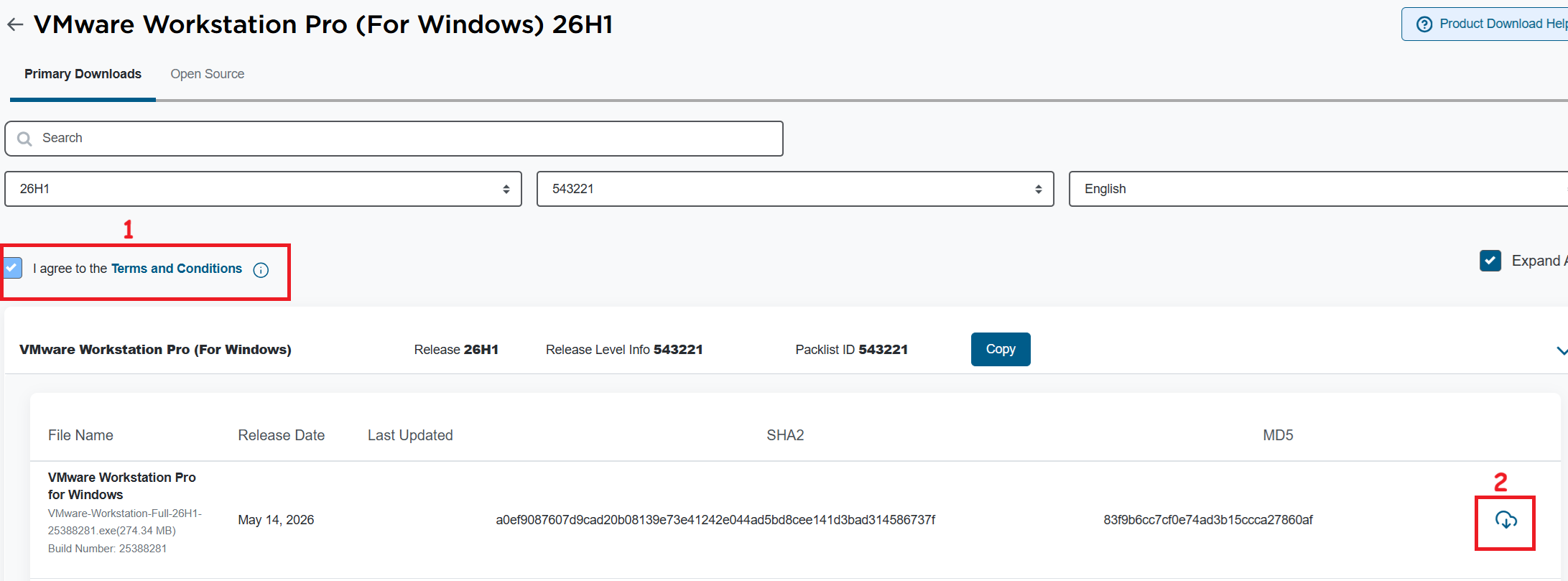
I’ll need to download VMware Workstation Pro 26H1. The good news is, it’s free and users can download it at the Broadcom support portal. Once you log in, you can find it under the downloads section under FREE Downloads. Need more guidance on the portal, see this KB.
Note: Make sure you click on the ‘Terms and Conditions’ plus the check box (1) before you click on the download icon (2).
Windows Settings
Disable Windows Virtualization Settings
If you are deploying Workstation on to Windows the disablement of Hyper-V and Device Guard conflicts are important. Basically, Workstation needs these to be disabled to achieve optimal performance plus support nesting. If they are not disabled the following error will appear during the installation of Workstation.
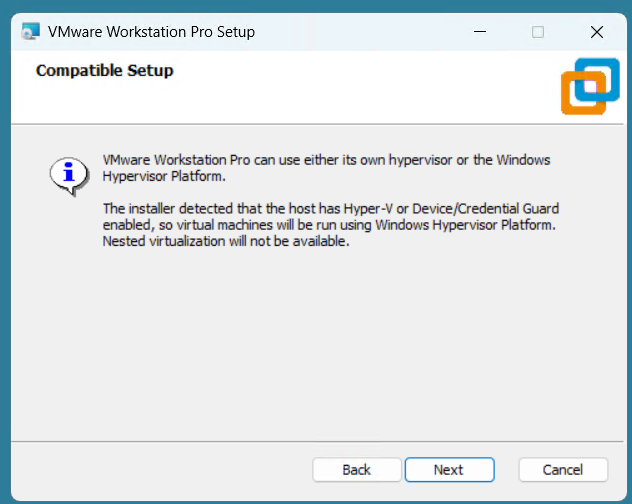
Note: Before starting, I create a current Windows restore point prior to making the following changes.
To resolve this, I used the Microsoft Device Guard and Credential Guard Hardware Readiness Tool.
- Download the Device Guard and Credential Guard hardware readiness tool from Microsoft.
- Extract the downloaded ZIP file.
- Use the tool to disable Device Guard and Credential Guard:
- Open PowerShell window as an administrator.
- Navigate to the folder where you extracted the tool.
- First run this command to get Execution Policy:
- Set-ExecutionPolicy Unrestricted -Scope Process
- Now run the script with the -Disable parameter to disable Device and Credential Guard
- DG_Readiness_Tool_v3.6.ps1 -Disable
- Reboot your computer.
- During the boot process, Windows will ask you to confirm the changes. Follow the on-screen instructions to proceed (Just press F3).
- When complete your computer will reboot.
Workstation Installation
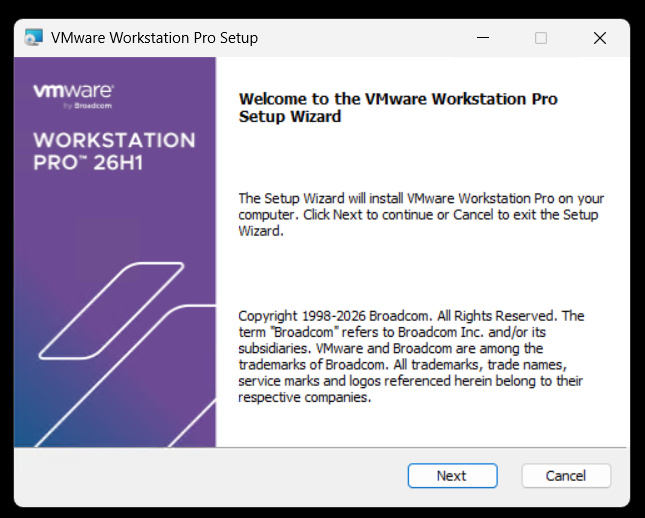
Launch the Workstation program and when prompted click Next.
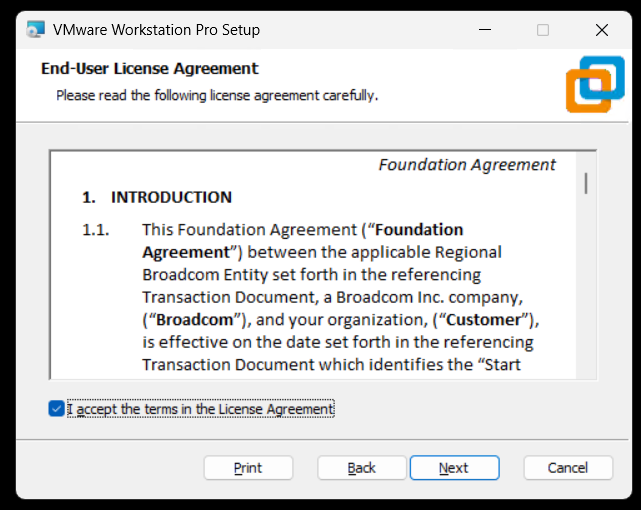
Check Accept and Click Next.
Ensure VMs are running on VMware Hypervisor.
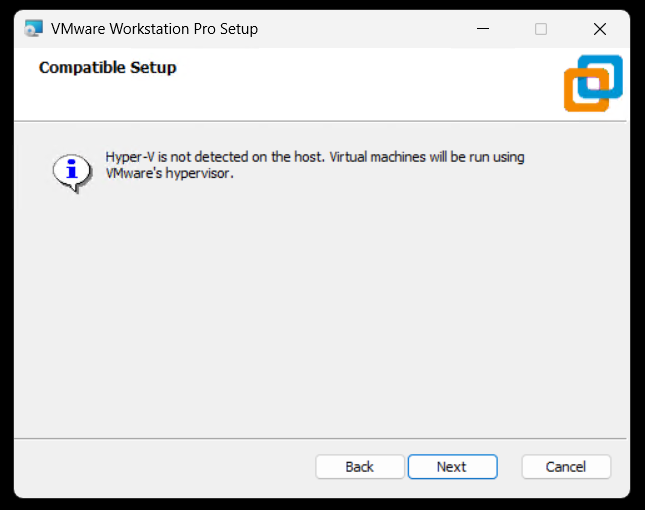
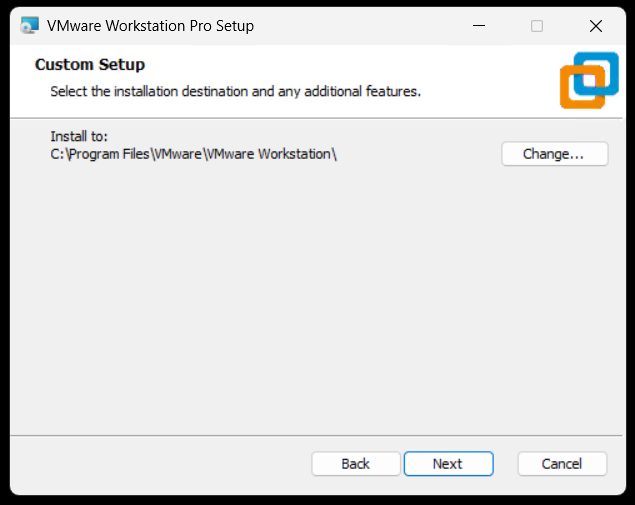
Ensure directory is correct and click next.
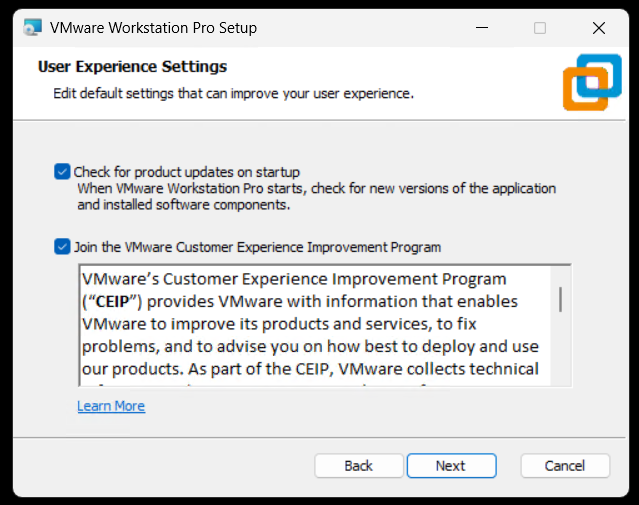
Click next to accept auto updates and joining the CEIP program.
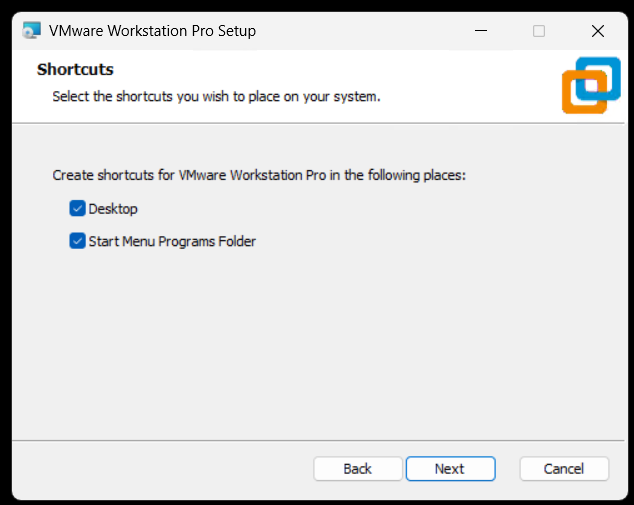
Click next to create shortcuts.
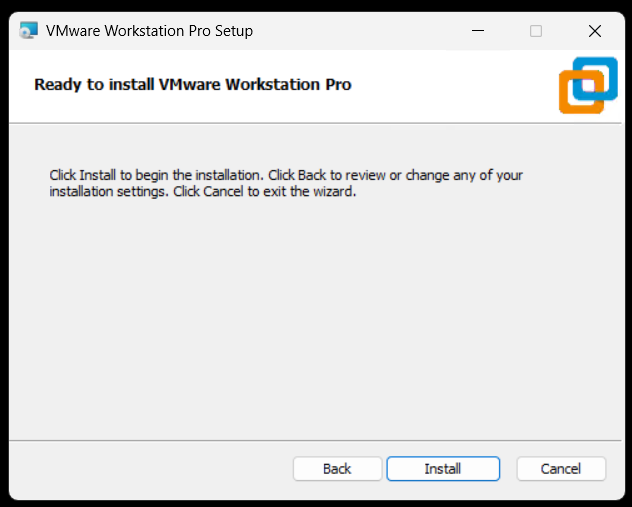
Click Install to install Workstation.
Allow the installer to complete and click Finish to finalize.
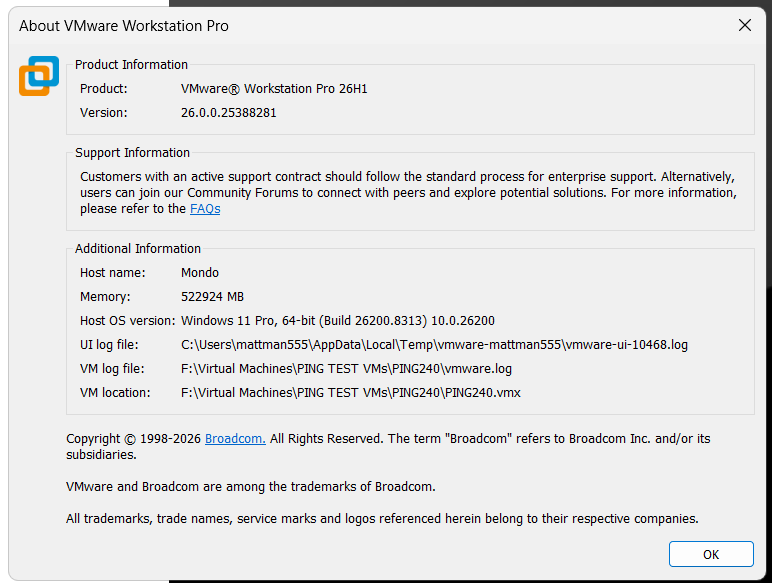
Open Workstation > Help > about to to validate install.
VMware Workstation Pro 26H1 is here and, its got a 64-Bit upgrade!!
The latest update to VMware Workstation Pro, version 26H1, has officially arrived! Whether you are a developer, a sysadmin, or a tech enthusiast, this release brings a host of updates designed to streamline your virtualization workflow and expand compatibility with the latest operating systems.
Personally, I’m excited to try out is new added support for 64-Bit applications/binaries.
What’s New
- VMware Workstation Pro 26H1 contains security and bug fixes.
- Added support for 64-Bit VMware Workstation Pro for Windows: VMware Workstation Pro for Windows is now available as a 64-bit application and all binaries, libraries, installer components, and related services are delivered and executed as 64-bit processes.
- Recording and reporting time stamps: You can easily identify virtual machines virtual machines by creation and last powered-on time stamp.
- Added support for remote connections to ARM-based ESX hosts, enabling basic virtual machine operations.
- Displaying virtual machine notes in folder tabs.
- Updated the saved credential format: You can easily identify encrypted virtual machines and remote server in the credential manager of the host platform.
- Added support for guest operating systems.
- Guest operating systems
- Ubuntu 26.04 LTS
- Fedora 43
- Fedora 44
- SUSE Linux Enterprise 16
- openSUSE 16.0
- FreeBSD 15.0
- Guest operating systems
- Added support for Host operating systems
- Ubuntu 26.04 LTS
- Fedora 43
- Fedora 44
- SUSE Linux Enterprise 16 GA
- openSUSE 16.0
Reminder: Workstation Pro is Now Free!
In case you missed the recent shift, VMware Workstation Pro is now free for personal, commercial, and educational use. You no longer need a license key to unlock the full power of the industry-standard desktop hypervisor. Just download, install, and start building.
Final Thoughts
The 26H1 release is a solid step forward, focusing on the “latest and greatest” in the OS world while giving power users better tools for customization. If you haven’t updated yet, now is the time to head over to the Broadcom Support Portal and grab the latest build.
Ready to upgrade? Check out the full technical details and resolved issues list in the official release notes.
VMware Cloud Foundation 9.1 (VCF 9.1) key events, webinars, and Resources
Below is a summary of some of the great announcements around the VCF 9.1 release.
Discover What’s New in VCF 9.1
Watch this recording to see the new features in action through demo-walkthroughs and discover how the newly announced partnerships will expand VCF 9.1 capabilities.
Modules:
- The New Era of Virtualization: AI-ready Private Cloud
- Solving the AI Memory Crisis with VMware Cloud Foundation
- Exploring VCF 9.1: Private AI and Memory Tiering Insights
- VMware Advanced Cyber Compliance: Bridging the Resilience Gap
Learn More
- VMUG Global Event (June 25th)
- Meet our Experts Register for VMware Explore 2026 (Aug 31 – Sep 3)
- Level Up Get Certified on VCF 9.1
Strategic Roadmap & Training
The following schedule outlines key opportunities to engage with VCF experts and the broader Broadcom ecosystem in 2026. The marquee event, VMware Explore 2026, returns to Las Vegas in late August.
| Date | Event / Webinar Name | Location / Type |
|---|---|---|
| May 5, 2026 | Broadcom’s VMware in 2026: VCF 9, Containers, and AI | Webinar (On-Demand) |
| May 13-15, 2026 | VCF Experience Day (Hosted by TD SYNNEX) | Dallas/Plano, TX |
| Aug 31 – Sep 3, 2026 | VMware Explore 2026 Las Vegas | Las Vegas, NV |
| Sep 29-30, 2026 | VMware Explore on Tour: Mumbai | Mumbai, India |
| Oct 1-2, 2026 | VMware Explore on Tour: Singapore | Singapore |
| Oct 13-14, 2026 | VMware Explore on Tour: Frankfurt | Frankfurt, Germany |
Virtually Speaking Podcast Series and others
Hosted by Pete Flecha and John Nicholson, the Virtually Speaking Podcast provides weekly technical deep dives into the VCF 9.1 ecosystem. The new “VCF 9 Core” series features product engineers explaining the architectural changes.
| Episode 1: Introducing VCF 9.1: Built for Efficiency and Resilience | Episode 6: VCF 9.1: From AI Hype to Production Reality |
| Episode 2: From Infrastructure to Innovation: VCF 9.1 Core Explained | Episode 7: VCF 9.1: Scaling Secure Edge Deployments |
| Episode 3: VCF 9.1: Automation, Kubernetes APIs, and Faster Deployments | Episode 8: VCF 9.1 Cyber Resilience: From Attack to Recovery with Confidence |
| Episode 4: Inside VCF 9.1: Platform, Lifecycle, and What’s Different Now | Episode 9: Designing VCF 9.1: Architecture, Sizing, and Scale in Practice |
| Episode 5: From Rising Costs to Smarter Storage: The VCF 9.1 Reality |
Resources & Documentation
Critical Reference Materials
- Product News Release: Broadcom Announces VMware Cloud Foundation 9.1
- Broadcom TechDocs: TechDocs have been completed updated making it easier to find content.
- Release Notes: The full VCF 9.1 Release Notes detail the specific upgrade paths from VCF 5.x.
- VCF Import Guide: Technical documentation on how to prepare brownfield vSphere clusters for ingestion.
- Private AI Reference Architecture: A comprehensive guide on sizing GPU clusters and configuring vSAN ESA for high-throughput AI training.
Tech Blogs
- Announcing VCF 9.1: Modern Private Cloud Built for Efficiency and Resilience
- Scale Smarter, Save More: Redefining Infrastructure Economics with vSphere in VCF 9.1
- Announcing VCF Edge 9.1 A Scalable, Autonomous Edge Platform
- Continuous Compliance, Integrated Cyber Recovery and Enhanced Platform Security for VCF 9.1
- Streamline, Simplify and Protect all your AI workloads with VCF 9.1
- VCF Professional Services and Lifecycle Support Solution Brief
Coming Soon
HOL
- Test-Drive VCF 9.1 and more for free
- What’s New in VCF 9.1
- Memory Tiering in VCF 9.1
- Native Kubernetes Workloads on VCF 9.1
Solution Architecture Guides
- Self-Service Multi-tenant Private Cloud Consumption
- Private AI Service Deployment and Consumption with VCF 9.1
- VCF Edge Design for Retail, Manufacturing
- Flexible Storage Deployment Models
Next Steps
For organizations planning their upgrade path, the immediate next step is to audit current hardware compatibility against the VCF 9.1 HCL (Hardware Compatibility List), particularly if planning to leverage the new NVMe memory tiering capabilities.
REF: See the follow URL for more updates. https://go-vmware.broadcom.com/whats-new-in-vcf
 vmexplorer