GL.iNet Comet (GL-RM1) a handy single KVM Over IP
Recently I was working on my Ubuntu 25 workstation and I needed a way to reliably remote into the system. This Workstation uses a Supermicro motherboard but the board doesn’t support remote KVM to the external video card. xrdp isn’t supported under Ubuntu 25. Microsoft RDP to the desktop or remote constantly disconnected, had issues or would show black screens. Lastly, most of the VNC options were either buggy or cost subscription fees. Other options like Team Viewer, and No Machine either cost or simply were too complex.
Enter the GL.iNet Comet (GL-RM1) It is a specialized hardware-based KVM-over-IP (Keyboard, Video, Mouse) device designed to give you complete remote control over a computer event at the BIOS level. Unlike software solutions, the Comet allows you to access a machine even if the operating system has crashed or hasn’t booted yet.
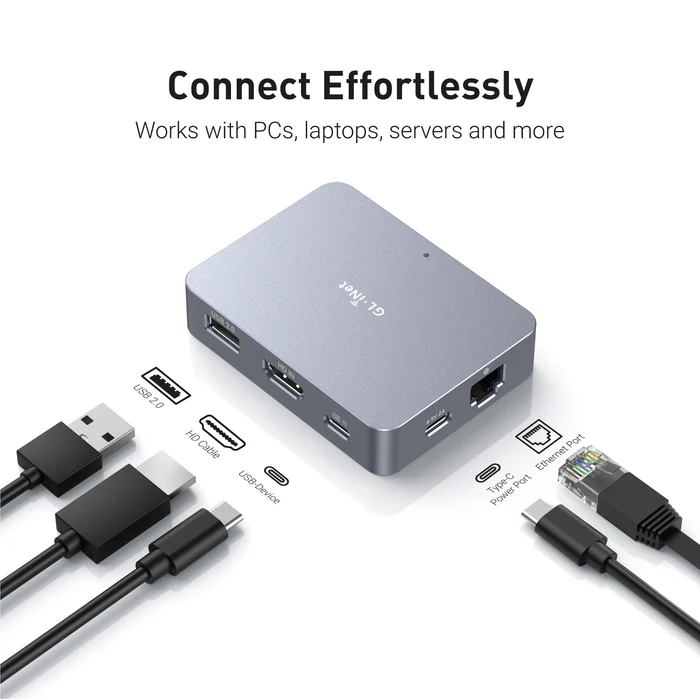
Key Features
| Feature | Specification |
|---|---|
| Max Resolution | 4K @ 30fps (also supports 2K @ 60fps) |
| Processor | Quad-core ARM Cortex-A7 |
| Memory / Storage | 1GB DDR3L RAM / 8GB eMMC Storage |
| Connectivity | 1x Gigabit Ethernet port (No built-in Wi-Fi) |
| Remote Access | Tailscale integration, GoodCloud, and local web UI |
| Ports | HDMI In, USB-C (Keyboard/Mouse), USB 2.0 (Expansion) |
| Dimensions | 80 x 60 x 17.5mm; 85g |
What I like and don’t like about it:
Pros
- BIOS-Level Access: It’s nice to have full control over the workstation. I can remotely troubleshoot a PC before the OS loads, allowing for remote OS installations and BIOS setting changes.
- Ease of Setup: Once I found its IP on my network it was very simple to set up. The web interface is designed very well and works great.
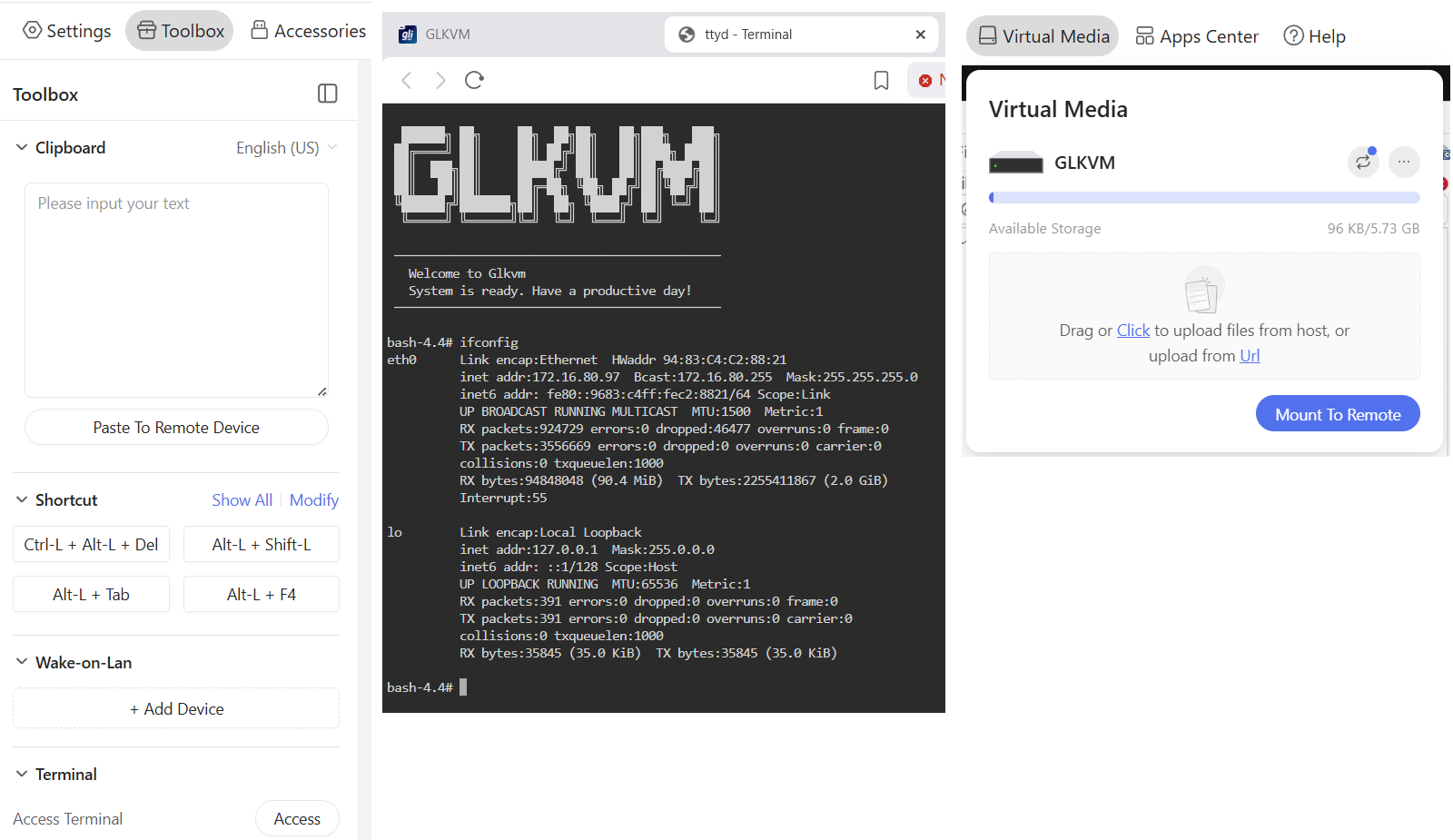
- Toolbox feature: (Fig-1): The Clipboard allows for pasted text to be pasted into a remote device. It also has keyboard shortcuts, WOL, and Terminal access
- Virtual Media and Accessories (Fig-1): It has ~5.5GB of built in storage to mount to the remote host or via the Accessories I can mount a USB memory stick.
- Compact Design: Roughly the size of a computer mouse, making it highly portable for field technicians.
- Mouse Jiggle: Has a feature to enable mouse jiggle on the remote system to keep the remote desktop from locking.
Cons
- No Built-in Wi-Fi: The standard GL-RM1 requires a wired Ethernet connection for internet access.
- USB 2.0 Only: The expansion port is limited to USB 2.0 speeds, which may be slow for large virtual media transfers.
- Power Requirements: It cannot be powered by some PD (Power Delivery) adapters and requires a standard 5V/2A source.
- Limited High-Speed Video: While it supports 4K, it is capped at 30fps, which is sufficient for productivity but not ideal for gaming or smooth video playback.
What could be better:
- Video Display: The initial video display looks a bit pixelated, but with a few video quality changes it works well. It’s totally usable but even in lossless mode it could be a bit more clear.
- The ESC Key: To exit the remote screen you have to push the ESC key or hold the ESC key to exit full screen. Sometimes this ESC key is registered by the remote system and can cause unexpected behaviors. Example – Press ESC and your current window closes out.
- Mouse Movement: Initially there are two mouse icons (local and remote) and a bit of a delay between them. A few changes in the mouse settings and the experience is much better. Would rather see these be the default settings.
How It Compares
The GL.iNet Comet occupies a unique “budget-friendly” tier in the IP-KVM market.
- Vs. PiKVM: While the PiKVM is highly expandable and open-source, it often requires buying a Raspberry Pi separately and assembling it, which can end up being more expensive and bulkier. The Comet is a “plug-and-play” alternative that is significantly cheaper as a complete package.
- Vs. JetKVM: The JetKVM includes a local display for easier on-site monitoring, whereas the Comet is more minimalist. However, users have noted that the Comet’s availability and stability for remote connections (via GoodCloud/Tailscale) make it a very competitive choice.
- Vs. Comet PoE (GL-RM1PE): The PoE variant is slightly larger but allows you to power the device and provide data through a single cable, which is a major advantage for clean server rack setups.
Summing it up
The Comet (GL-RM1) is working out well for my home lab as I needed reliable remote access into my workstation. To me, its primary advantage is providing a reliable, cost effective, feature rich, and quick way to do remote access with out having to install and maintain buggy software based remote access.
 vmexplorer