Using vRealize Log Insight to troubleshoot #ESXi 7 Error – Host hardware voltage System board 18 VBAT
This blog post demonstrates how I used vRLI to solve what seemed like a complex issue and it helped to simplify the outcome. I use vRLI all the time to parse log files from my devices (hosts, VM’s, etc.), pinpoint data, and resolve issues. In this case a simple CMOS battery was the issue but its the power of vRLI that allowed me to pinpoint the problem.
Recently I was doing some updates on my Home Lab Gen 7 and I noticed this error kept popping up – ‘Host hardware voltage’. At first I thought it might be time for a new power supply, this error message seems pretty serious.

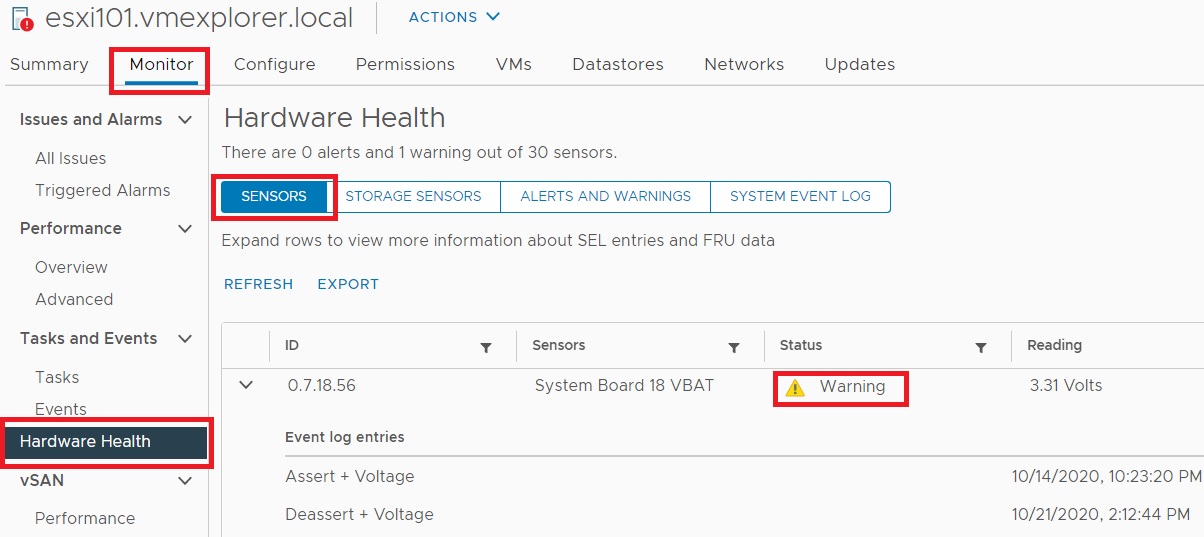
Next I started looking into this error. On the host exhibiting the error, I went into Monitor > Hardware Health > Sensors. The first sensor to appear gave me some detail around the sensor fault but not quite enough information to figure out what the issue was. I noted the sensor column stated – ‘System Board 18 VBAT’
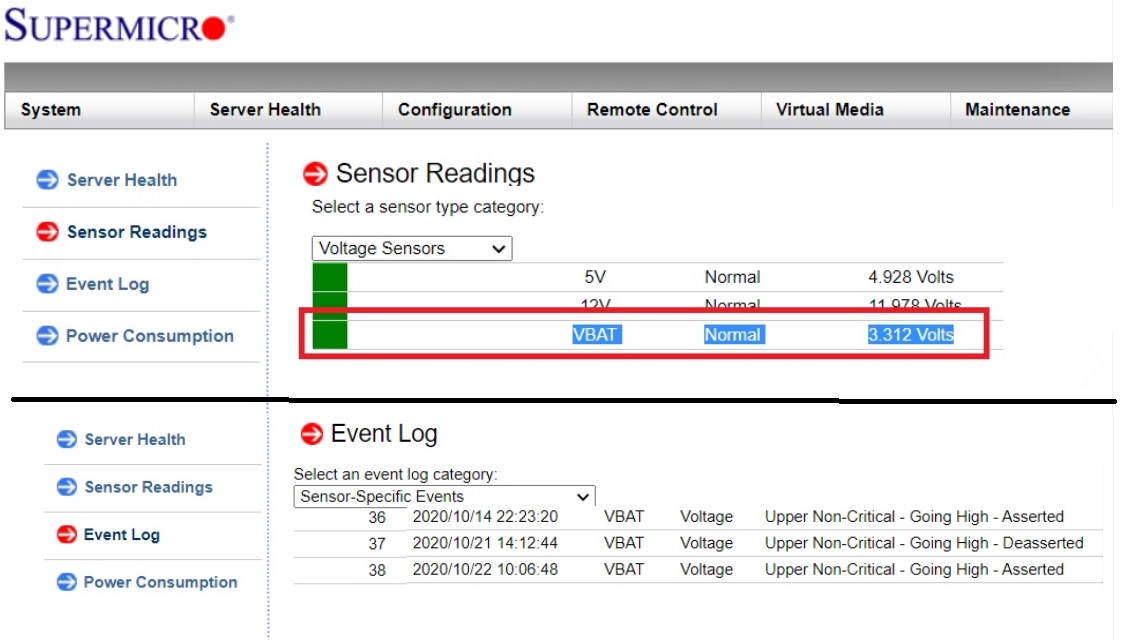
My host motherboards are equipped with remote management. I went into the Supermicro Management interface to see if I could find out more information. Under Sensor Readings, I found some more information around VBAT. Looks like 3.3v DC is what its expecting, and the event log seems to be registering errors around it, but still not enough to know what exactly is faulting.
With this information I launched vRLI and went into Interactive Analytics. I choose the last 48 hours and typed ‘vbat’ into the search field. The first hit that came up stated – ‘Sensor 56 type voltage, Description System Board 18 VBAT state assert for…’ This was very similar to the errors I noted from ESXi and from the Supermicro motherboard.

Finally, a quick google led me to Intel webpage. Turns out VBAT was just a CMOS battery issue.

I powered down the host and pulled out the old CMOS battery. The old battery was pretty warm to the touch. I placed it on a volt meter and it read less than one volt.
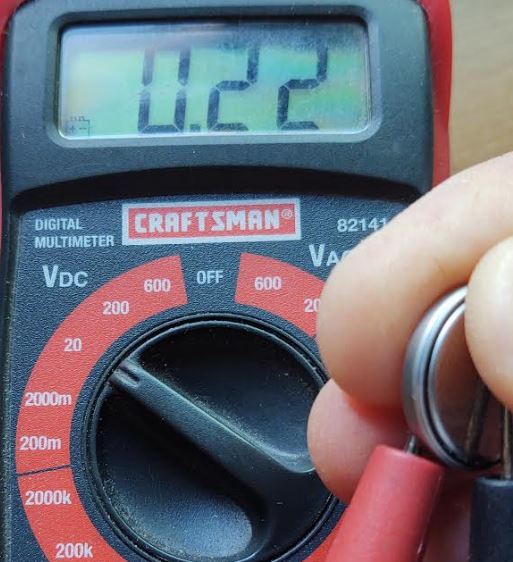
I checked the voltage on the new battery, it came back with 3.3v and I inserted the new battery into the host. Since the change the system board has not reported any new errors.
Next I go into vRNI to ensure the error has disappeared from the logs. I type in ‘vbat’, set my date/time range, and view the results. From the results, you can see that the errors stopped about 16:00 hours. That is about the time I put the new battery in, and its been error free from for the last hour. Over the next day or two I’ll check back and make sure its error free. Additionally, I could setup an alarm to trigger if the error returns.

Using vRLI allow me to help me troubleshoot, resolve, alert, and monitor results.
If you like my ‘no-nonsense’ videos and blogs that get straight to the point… then post a comment or let me know… Else, I’ll start posting really boring content!
 vmexplorer
November 14, 2020 at 10:16 am
[…] troubleshoot #ESXi 7 Error – Host hard voltage System board 18 VBAT A great example in this article about troubleshooting and how Log Insight can help. This is probably a good one for those of use […]
LikeLike
November 21, 2022 at 2:56 am
Awesome manual!!
LikeLike