Month: April 2019
No web interface on a Dell PowerConnect 6224 Switch
I picked up a Dell Powerconnect 6224 switch the other day as my older Netgear switch (2007) finally died. After connecting via console cable (9600,8,1,none) I updated the Firmware image to the latest revision. I then followed the “Dell Easy Setup Wizard”, which by the way stated the web interface will work after the wizard is completed. After completing the easy wizard I opened a browser to the switch IP address which failed. I then pinged the switch IP address, yep it is replying. Next, rebooted the switch – still no web interface connection.
How did I fix this?
1- While in the console, entered into config mode, and issued the following command.
console(config)#ip http server
2- Next I issued a ‘show run’ to ensure the command was present
console#show run
!Current Configuration:
!System Description “PowerConnect 6224, 3.3.18.1, VxWorks 6.5”
!System Software Version 3.3.18.1
!Cut-through mode is configured as disabled
!
configure
stack
member 1 1
exit
ip address 172.16.74.254 255.255.255.0
ip default-gateway 172.16.74.1
ip http server
username “admin” password HASHCODE level 15 encrypted
snmp-server community public rw
exit
3 – This time I connected to the switch via a browser without issue.

4 – Finally, saved the running-configuration
console#copy running-config startup-config
This operation may take a few minutes.
Management interfaces will not be available during this time.
Are you sure you want to save? (y/n) y
Configuration Saved!
console#
Summary: These were some pretty basic commands to get the http service up and running, but I’m sure I’ll run into this again and I’ll have this blog to refer too. Next, I’m off to setup some VLANs and a few static routes.
If you like my ‘no-nonsense’ blog articles that get straight to the point… then post a comment or let me know… Else, I’ll start writing boring blog content.
Its time for Pi – ESXi on ARM Computing
This past year I was admitted into a internal VMware program known as CTOA (CTO Ambassadors). The CTO Ambassador program is run by the VMware Office of the CTO. The CTO Ambassadors are global members of a small group of VMwares most experienced and talented customer facing, individual contributor technologists. They are pre-sales systems engineers (SEs), technical account managers (TAMs), professional services consultants, architects and global support services engineers. The ambassadors help to ensure a tight collaboration between R&D and our customers so that we can address current customer issues and future needs as effectively as possible. More information here >> https://octo.vmware.com/author/ctoa/
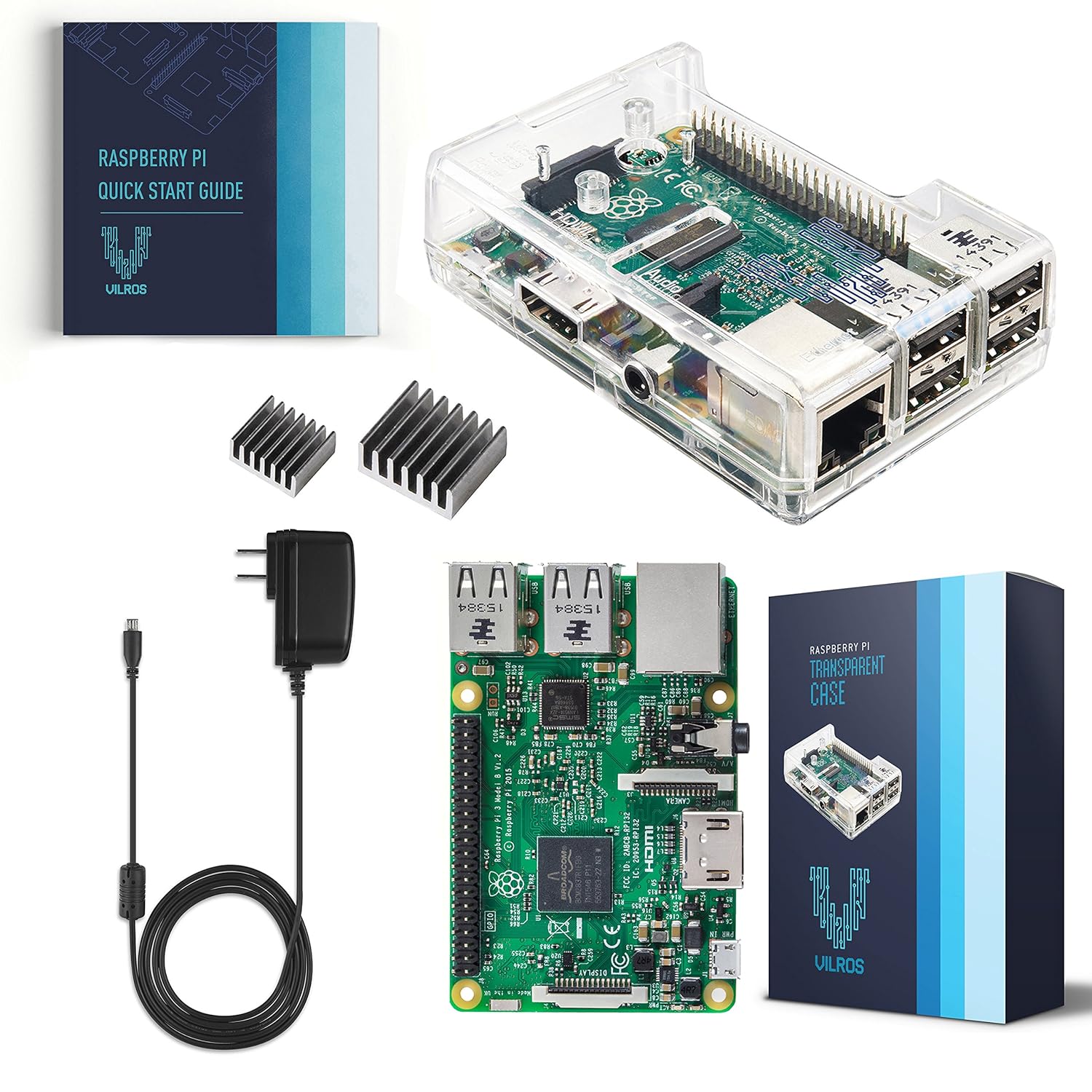
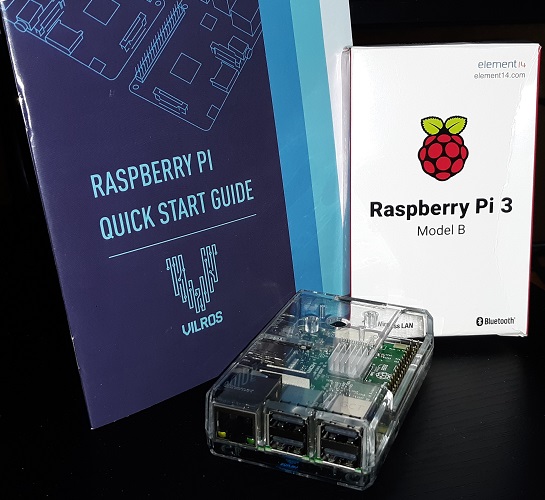
During a recent CTOA conference at VMware HQ, Chris Wolf (CTO, Global Field and Industry at VMware) demonstrated ESXi ARM on a Raspberry Pi. He went on to challenge all the CTOA members to promote ESXi on ARM with the VMware Community. The real challenge was — How do you show your customer something new, especially when the product has not released yet? The answer — Supply your all the CTOAs with Raspberry Pi pre-loaded with ESXi for ARM! You can find the specs on the kit they got us from Amazon. They added in a 32GB SD card used to boot ESXi for ARM.
Overall the kit was pretty easy to assemble and it was similar to the Motorola 6800 Trainers I used at DeVry. Similar how you may ask? The Pi has the Extended GPIO 40 Pin (general-purpose input/output) pins along the top edge of the board. A 40-pin GPIO header is found on all current Raspberry Pi boards. Prior to the Pi 1 Model B+ (2014), boards comprised a shorter 26-pin header. Any of the GPIO pins can be designated (in software) as an input or output pin and used for a wide range of purposes. The DeVry 6800 Trainer had a similar I/O pin out where we could create projects. My senior class project was a home security system running on this trainer. We build a model home with alarm sensors, interfaced those senors into the trainer, and I wrote all the code to create the security program. In many ways this Raspberry Pi is very similar to the DeVry Trainer, only you needed to understand low level Machine Code specific for the 6800 CPU but the Pi pretty much works with most object oriented languages of today.
I’m looking forward to working with the Pi and plan to post up some videos of ESXi on ARM soon.
If you like my ‘no-nonsense’ blog articles that get straight to the point… then post a comment or let me know… Else, I’ll start writing boring blog content.
 vmexplorer