Allow SSH root access to VCF SDDC Manger
While creating a new VCF 9 test deployment I recently had the need to allow root user SSH access to the VCF SDDC Manager Appliance or also known as the VCF Installer. The SDDC Manager is the first appliance you deploy when creating a VCF 9 deployment. It allows you to create your VCF 9 environment. Though I would not recommend these actions for a production environment, sometimes in a test environment you may want to enable this.
Here are the steps –
- Gain direct console access to the already deployed SDDC Manager Appliance. In my case I have it deployed in VMware Workstation.
- Login to the SDDC Manager as root.
- Note: See Other Commands below if you want to backup your files first.
- Use the vi editor and enter the following command.

- In vi, press esc, then /, finally type in
PermitRootLoginenter. This will take you to the option to allow SSH login by root
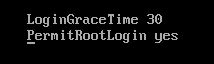
- Next change the
PermitRootLoginfrom no to yes - Press esc
- Enter :wq! to save the file
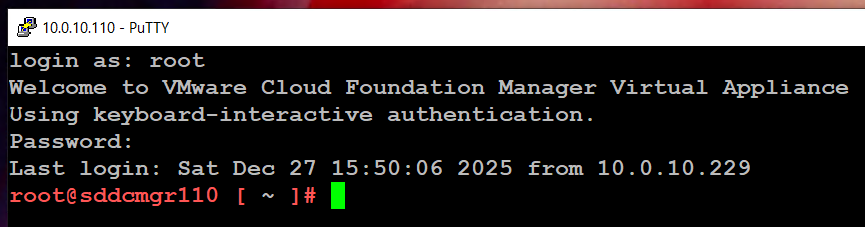
- Reboot the SDDC Manager Appliance and try using Putty to login as root.
Other Commands:
You might want to do a quick backup of the sshd_config file before and after modification. This way you can easily shift the config file to allow and not allow root access.
First Backup the config file using the extra name of ‘NOROOTACCESS’

Make the changes listed above to allow root access, then backup the config file with the extra name of ‘ALLOWROOTACCESS’

Check to make sure your configurations are there.

Now all you have to do is restore the file you want to the sshd_config file and restart.

Alternate Benefits:
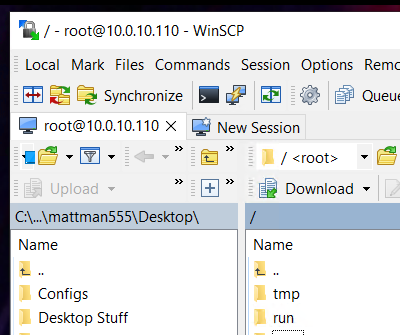
Now that you have set up root level SSH access you can use programs like WinSCP to access files.
REF:
 vmexplorer
January 15, 2026 at 12:08 pm
[…] Follow this BLOG to allow SSH Access. […]
LikeLike